The audiobook player for the library you already own

For iOS and Android. Nightjar plays books from your phone, your cloud or your own server. No account, no ads, no tracking: your books go straight from your storage to your device.

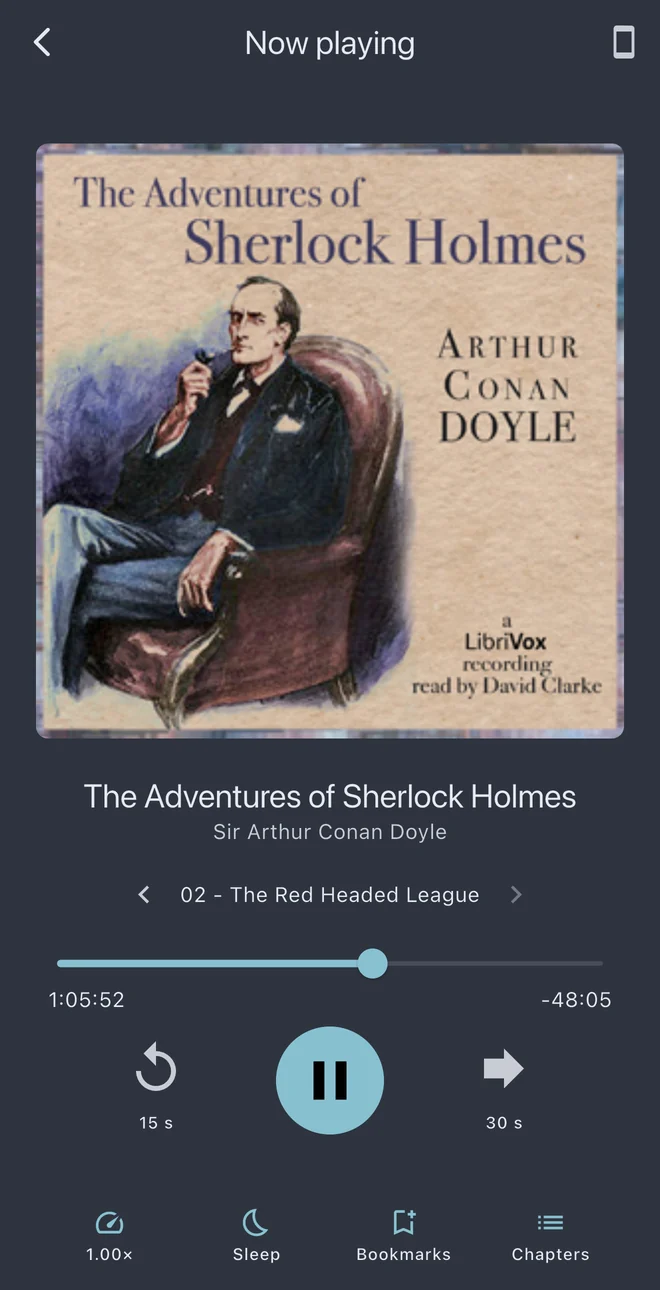
The player: The Adventures of Sherlock Holmes, chapter 2, with playback controls

The Adventures of Sherlock Holmes chapter 2, The Red-Headed League

13% of the book is on this phone

Tap anywhere in the book. Nightjar fetches that spot and nothing else.

  • playing now
  • fetched and cached
  • never downloaded
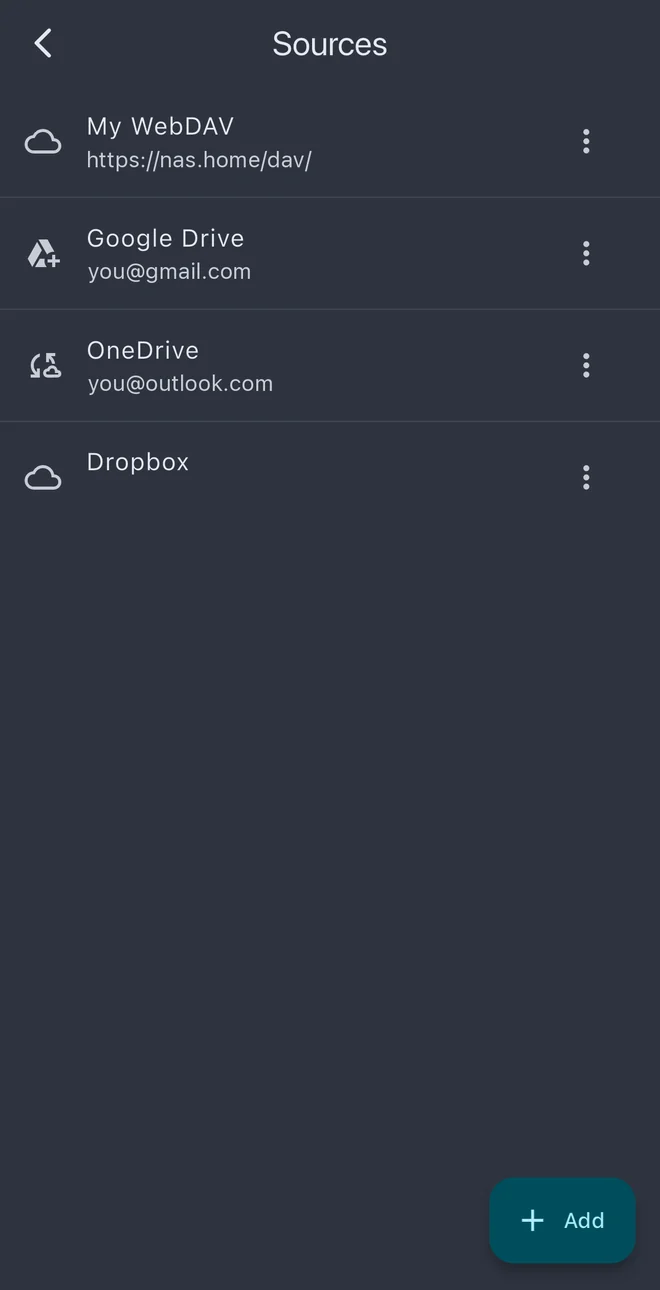
Sources: a WebDAV server, Google Drive, OneDrive and Dropbox

Your storage, not ours

Files on the device, Dropbox, OneDrive or Google Drive, or a WebDAV server — Nextcloud, Yandex Disk, pCloud, Koofr, Icedrive, Box, Synology and more. Nightjar has no book catalogue and no library of its own — it plays what you already have.

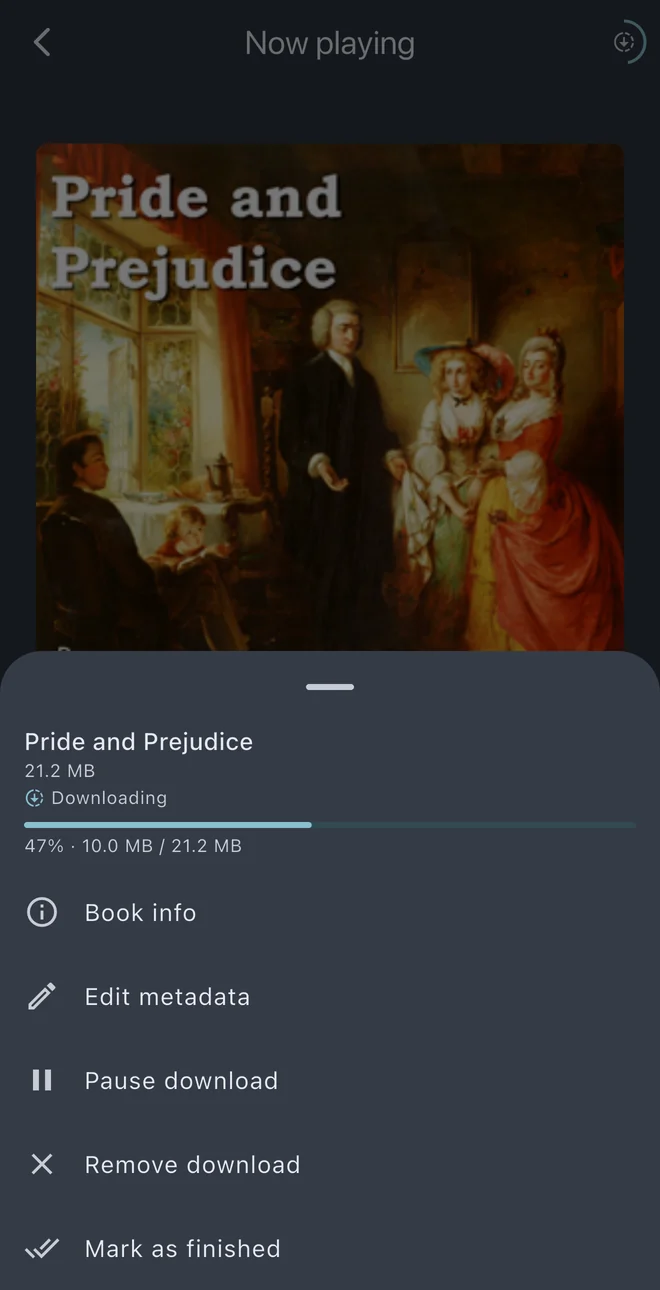
A book downloading for offline listening, with pause and remove in its menu

Offline when you need it

Download a book for the flight with a visible progress ring, pause and resume it, and free the space again with one tap.

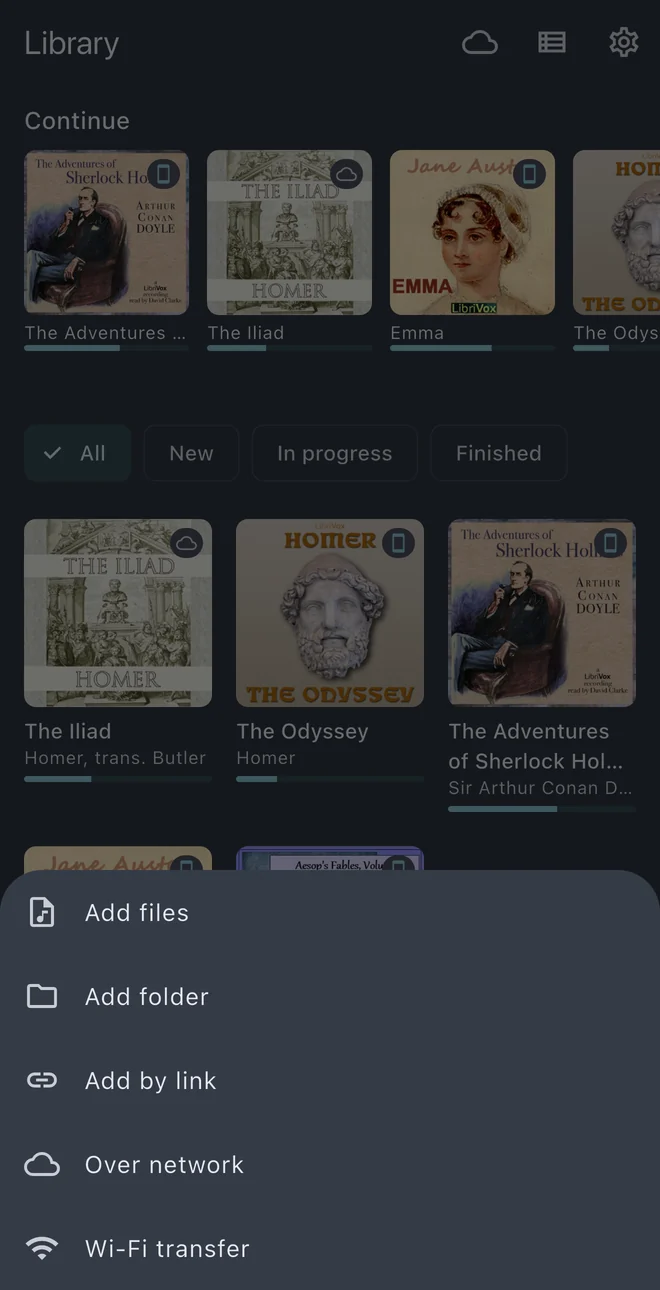
Adding books: files, a folder, a link, a network source or Wi-Fi transfer

Every way to get files in

Share and “Open with”, AirDrop and the Finder folder on iOS, folder trees from the file manager on Android, transfer from a computer over Wi-Fi, or a direct link to a file of your own. A ZIP archive can come in the same way — shared, picked, sent over Wi-Fi or from a link — and Nightjar unpacks it on the device.

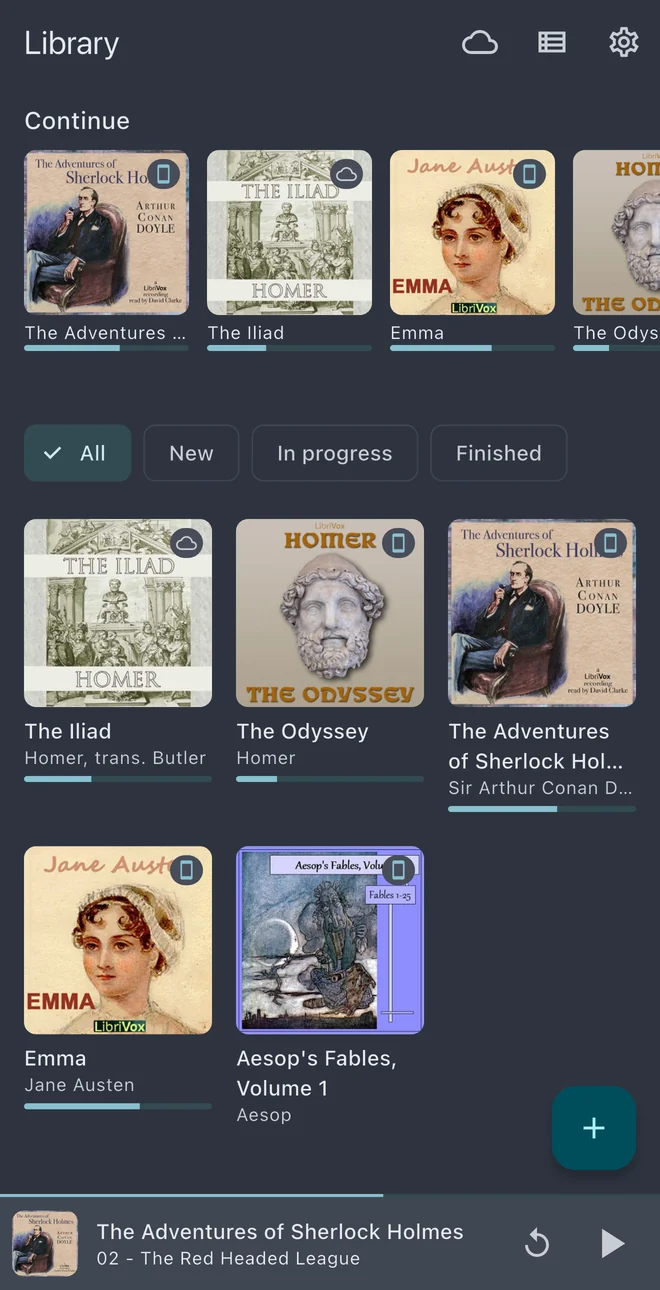
The library with books to continue and listening progress

Folders become books

Point at the top of a collection and Nightjar walks the tree: an m4b is one book, a folder of chapters is one book, multi-disc folders are stitched into volumes.

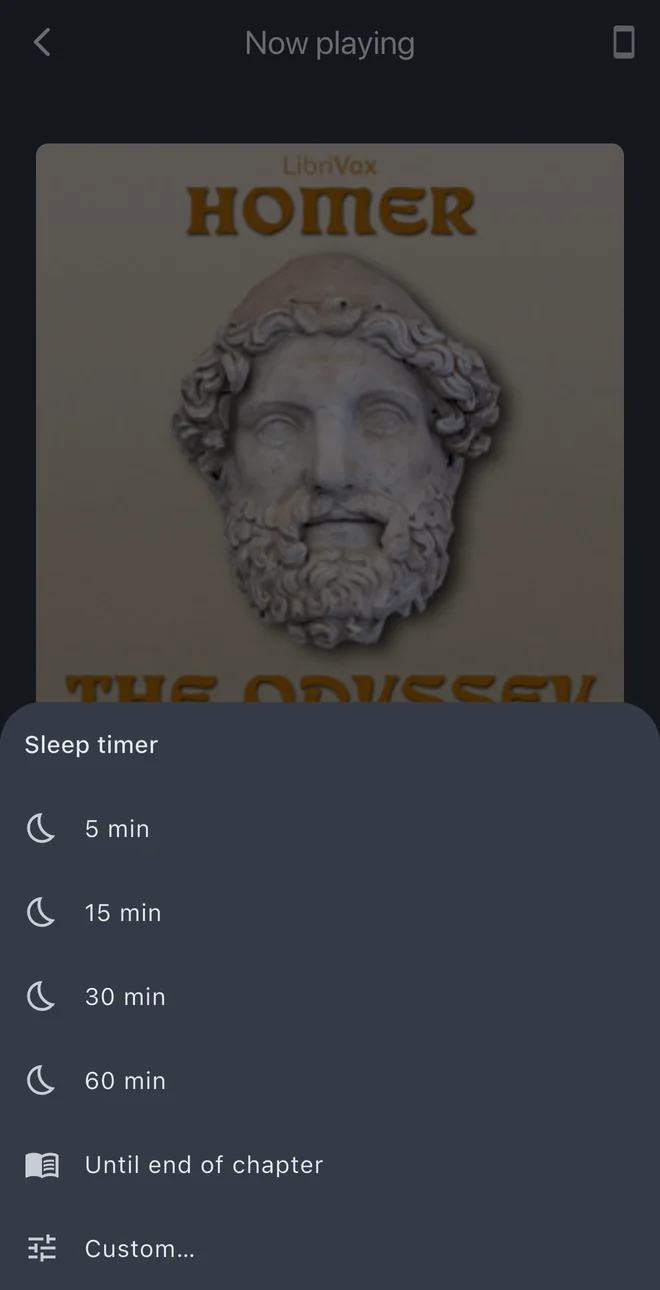
The sleep timer, including until the end of the chapter

Built for long listens

Chapters and bookmarks, playback speed, sleep timer, precise resume, lock-screen and headphone controls, plus silence skipping, volume boost and an equalizer on Android.

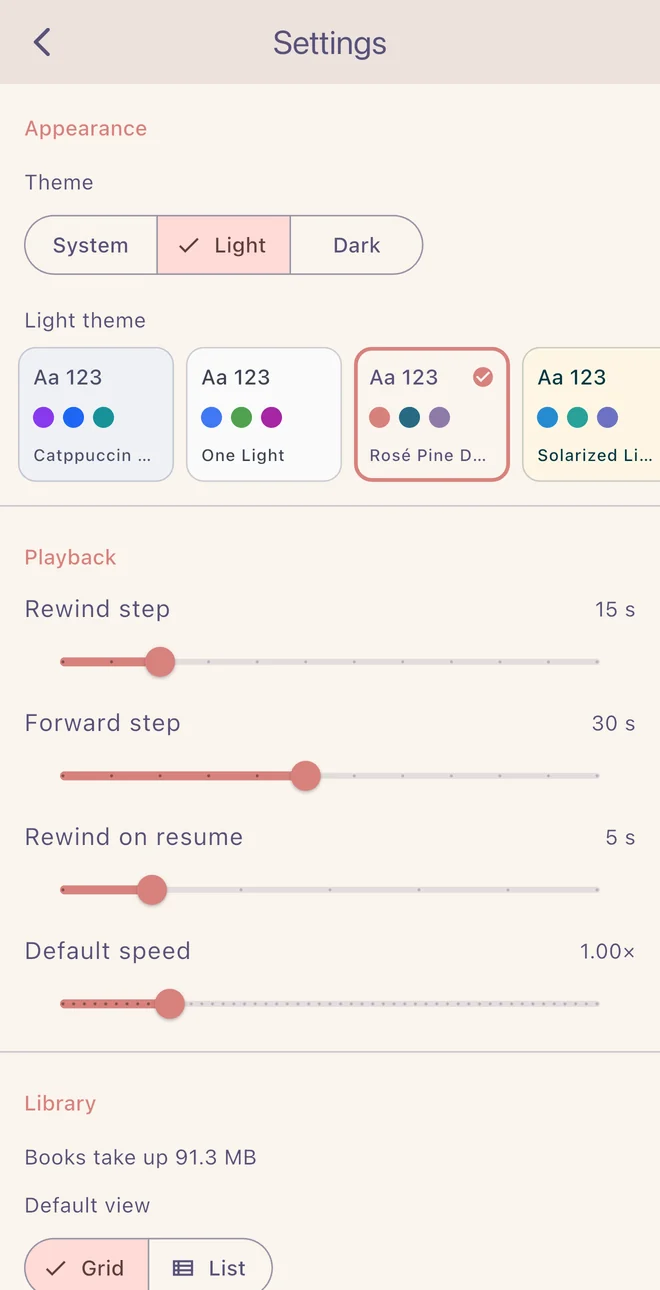
Choosing a light theme in Settings

Themes and backups

Ten handcrafted themes, five light and five dark, and a daily local backup of your listening progress that you can restore or export.

Downloads only what you listen to

Cloud storage usually offers a choice: wait for a 300 MB file, or don’t listen. Nightjar takes neither. Press play and it pulls the minute you are on. Skip to chapter fourteen and it pulls chapter fourteen. The rest of the book stays where it is, and the parts you did hear stay on the phone.

Starts in seconds

Playback begins as soon as the first piece arrives — the same whether the book runs one hour or twenty.

Jumping around is cheap

Going back to re-hear a passage, or forward past a chapter, pulls just that spot. You never have to fetch the middle of a book to reach its end.

What you heard stays

Parts you have played remain on the phone between restarts, up to a limit you choose — two gigabytes by default. The book you are listening to is never cleared to make room for something else.

Survives a bad connection

A failed piece is retried with a growing pause, what is already on the phone keeps playing while the network is gone, and when the cloud’s access expires the app renews it in the background instead of stopping the book.

Books on a WebDAV server stream the same way. The server has to be able to send a file in pieces, as Nextcloud, Yandex Disk, Synology and other popular servers do; one that cannot is not supported, and Nightjar says so when you import from it. And when you want a book on a plane, downloading it in full is a separate, deliberate action: the file is kept apart from what streaming leaves behind, and the two never compete for space.

Formats

Plays directly

  • MP3
  • M4B
  • M4A
  • AAC
  • WAV
  • FLAC
Decoded by the operating system itself, on both platforms. M4B keeps its embedded chapters and cover.

Converted on import

  • MKA
  • MKV
Matroska is repacked on the device without re-encoding, so nothing is lost in quality and it happens once. Chapters survive when the audio inside is AAC or ALAC; Vorbis and Opus inside cannot be converted.

Unpacked on import

  • ZIP
A ZIP archive you import is unpacked on the device, and what is inside is imported like a folder: the audio follows the rules above, and a folder of chapters becomes one book. Archives inside a folder you import are left alone.

Not supported

  • OGG
  • Opus
  • WMA
  • AWB
  • DRM
iOS does not decode OGG and Opus natively, so they are out for now. Files protected by DRM — Audible’s AA and AAX among them — cannot be played at all; Nightjar plays DRM-free files only.

Privacy, concretely

Details in the Privacy Policy.

  • There is no Nightjar server.

    Your library, positions and settings live on the device; requests go straight to your own services.

  • Credentials stay on the device.

    WebDAV passwords and Dropbox, Google and Microsoft tokens are held in the platform’s secure storage and are never sent to us.

  • No ads, no tracking.

    No analytics, attribution or measurement SDKs, no usage statistics. Crash reports are the only diagnostics that reach us on their own: the App asks about them the first time you open it, and you can switch them off at any point. A diagnostic log reaches us only if you send it yourself.

Free and Pro

Free

Everything local is free: the full player, every way of importing, Wi-Fi transfer and a light and a dark theme.

Nightjar Pro

Pro adds network sources — Dropbox, OneDrive, Google Drive and WebDAV — with offline downloads from them, and the other eight themes. It comes as a monthly or yearly subscription or a one-time lifetime purchase, with a 7-day free trial; the app shows the price in your local currency. Books you have already downloaded keep playing if Pro ends.

Bring the books you already have.

Free for files on your phone.